Building
Elements
Every element you can insert, what it is for, and the layout rules that keep a page sane.
Everything on a page is an element, and every element carries builder-data-element naming what it is. That attribute is what the design system styles, what the insert menu groups, and what the panels read — it is never a class you have to keep in sync.
Layout
| Element | Tag | What it is for |
|---|---|---|
| Section | section | A full-width band. Carries the site padding. |
| Container | div | A width: max-inline-size: var(--content-width), centered. |
| Flex Div | div | A row of children, wrapping by default. |
| Div | div | A plain block, unopinionated. |
| Figure | figure | An image and its caption. |
| Loop | — | Repeats its children over a query. Emits no wrapper. |
| Condition | — | Decides whether its children ship at all. Emits no wrapper. |
| Site content | main | Templates only: where the page is rendered. |
The site padding is the Section's
A section is the band that touches both edges of the viewport, so it is the only element that knows where the edge is. Once it carries the site padding, everything inside it is clear of the edge — whether or not it sits in a container.
A container is a width and nothing else. Put page padding on it and two nested containers pay the site padding twice, while a heading dropped straight into a section runs into the screen.
Loop and Condition are logic, not markup
Neither emits a tag. A Loop emits Astro's .map(); a Condition emits a guard or nothing at all. They have no box, no classes and nothing to style — put a Div inside (or around) one when you want a box. See Loops & conditions.
Content
| Element | Tag | Notes |
|---|---|---|
| Heading | h2 | Change the level in the Settings tab. Sizes come from --h1 … --h6. |
| Text | p | Paragraph. |
| Span | span | Inline, for a word that needs its own color. |
| Link | a | An href, and anything you like inside. |
| Button | button | Arrives as .btn.btn--primary. See Buttons. |
| Image | img | Arrives wrapped in a figure — the caption-ready markup you would write. |
| SVG | svg | Owns its own markup; paste a path or a whole icon. |
| List | ul | ul or ol, with li children. |
Navigation
Fifteen more elements make up a menu — nav, nav-list, nav-item, nav-link, nav-dropdown, nav-trigger, nav-caret, nav-sub, nav-mega, nav-panel, nav-toggle, nav-burger, nav-close, nav-scrim, nav-skip. Inserting Nav composes the whole assembled menu out of them; the rest are there so you can add a single link or a second dropdown to one you already have.
They are the one group that wears no class: a nav part is styled by what it is ([builder-data-element="nav-link"]). See Navigation.
Inserting
in the top bar, or ⌘E. It is one list — layout, content, navigation, then your own components — with a search field, because by the tenth element you know its name.
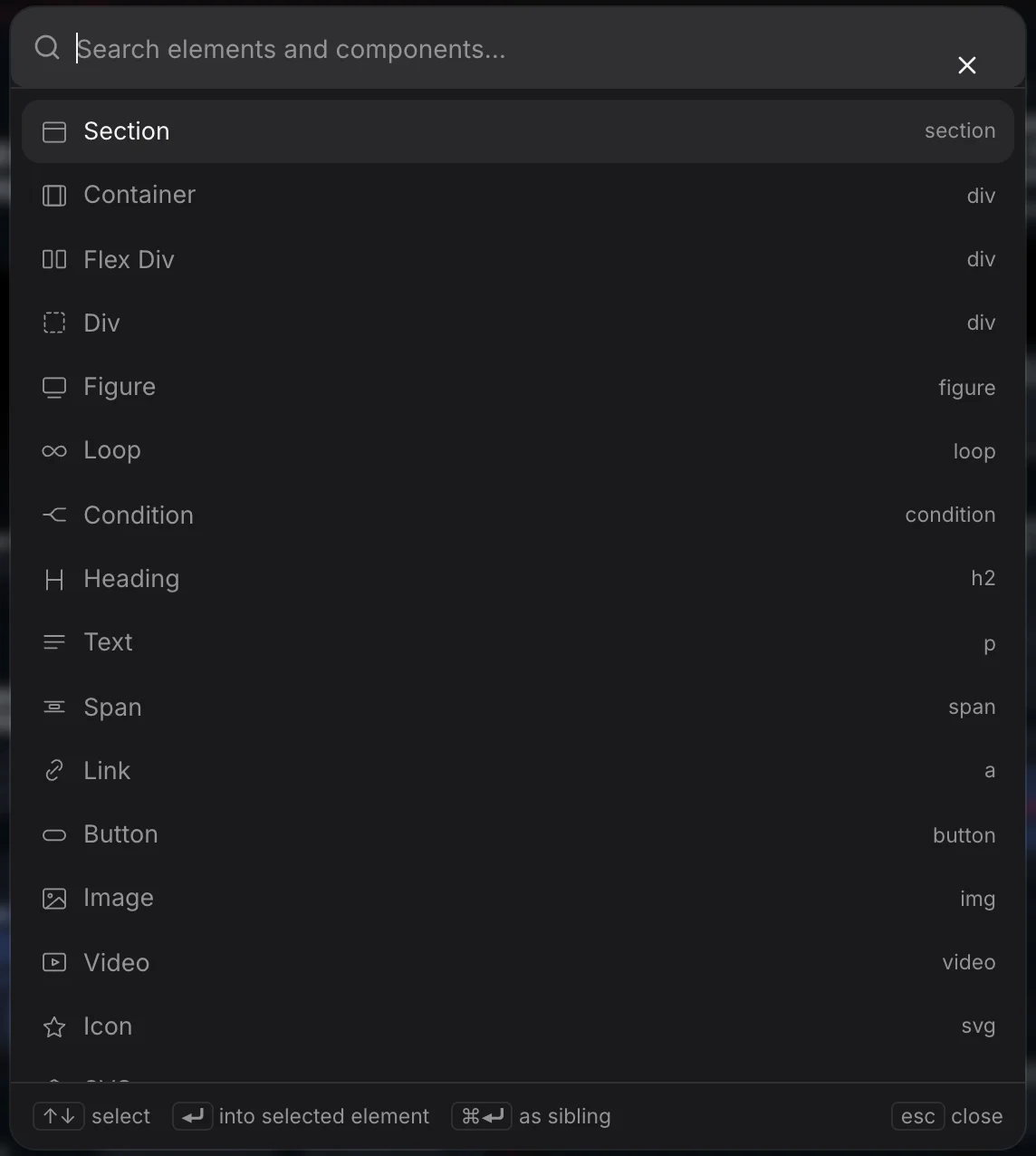
Paste HTML takes real markup and turns it into elements, so a snippet from a codepen or a block of markup from a designer arrives as a tree you can edit rather than a black box.
Wrapping
Select an element and wrap it in a Div, Container, Section, Link or Span — or in a Loop or Condition, which add no markup and change what happens to what is inside.
Names and classes
Rename anything in the tree. The name is what the layer list shows and what Generate BEM classes builds on (right-click a layer):
Pricing table       →  .pricing-table
  Item              →  .pricing-table__item
  Item              →  .pricing-table__item-2
  Price             →  .pricing-table__price
One meaningful class per node, and the first class is the element's selector — that is the rule the Style and CSS panels write to. A variation is a modifier alongside the block class (.pricing-table--compact), never instead of it.