Building
Templates
Headers, footers and everything else around a page — assigned by route or collection.
A template is everything around a page: the header, the footer, and whatever else wraps the content. It is assigned by a rule rather than picked per page, so a new page is already dressed.
The shape of one
A template is a tree, edited on its own canvas exactly like a page. Every template has a Main element — the page’s <main> — and inside it Page content, which marks where the page itself goes. Neither can be deleted, and both can be moved:
Header
Shell
  Sidebar
  ▸ Site content        ← the page goes here
  On this page
Footer
That is what lets a template put a breadcrumb above the page, a sidebar beside it, or a container around it.
Templates carry their own stylesheet, shared by every page that uses them and emitted to src/styles/generated/templates/<id>.css.
Never build a header or a footer into a page. Two pages with their own copies of a header are two headers that will disagree by Thursday.
Assigning one
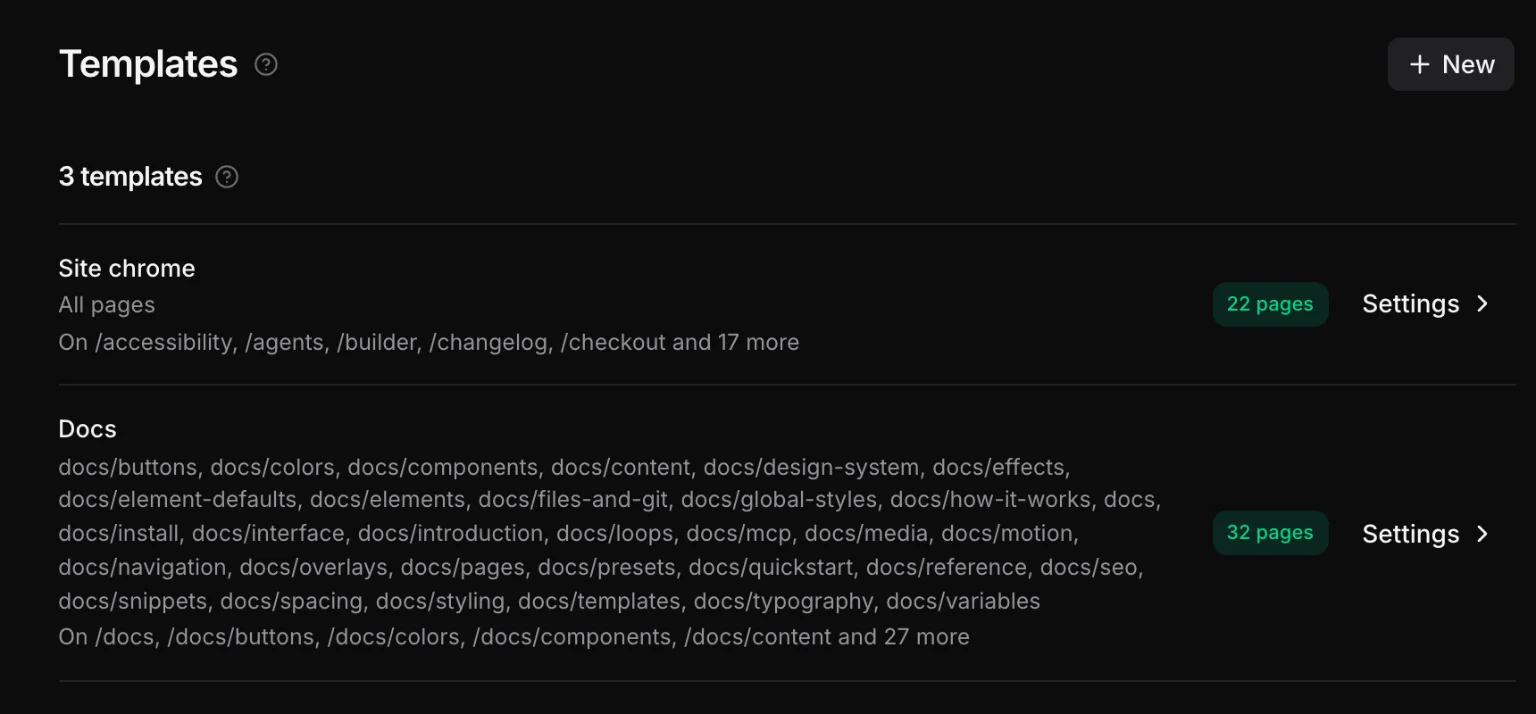
Each template says which pages it owns. Open one from the Assets tab, or see them all under Settings → Templates:
| Answer | Means |
|---|---|
| Auto | this page follows the rules — the most specific template wins |
| Only | this template, on this page, whatever else matches |
| Never | not on this page — an exclusion always wins |
| Default | the fallback for every page nothing else claims |
Resolution is most specific first: a route rule beats a collection rule, which beats the site default. That is how the homepage can differ from the projects archive without anyone editing a theme file.
Working in one
Open a template and the canvas shows it with a marker where the page will be. Everything else works as usual: elements, classes, the Style panel, breakpoints, motion, overlays.
Because a template applies to many pages, saving one re-emits every page that uses it. You do not need to open those pages.
A navigation belongs here
Put the site menu in the template, not in each page. Inserting Nav composes a complete, working menu — dropdowns, mobile toggle, focus trap, aria-current — out of ordinary elements you can then restyle. See Navigation.
Components inside templates
A template can use your components, which is how one navigation list appears both in a sidebar and inside a mobile overlay without existing twice. The instance is one node; the markup lives in the component.