Ship & extend
Agents & the MCP
Every tool an agent gets, the house rules it follows, and how to work alongside it.
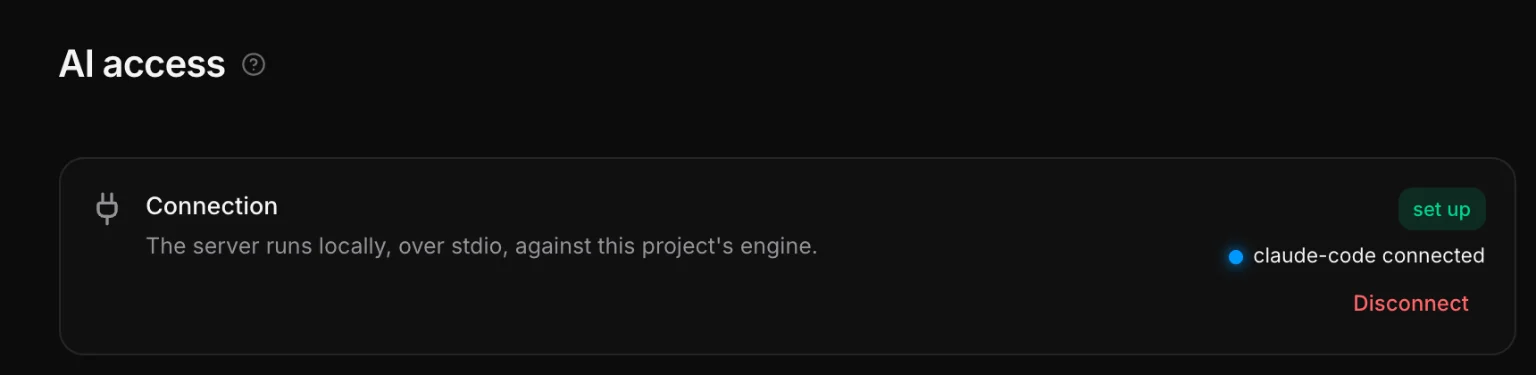
sitereal is designed to be driven by an agent. Settings → AI access connects one: copy the line it shows into Claude Code once and every project works from then on — or press Register to connect just this project. Claude Code, or anything else that speaks MCP, then builds in the same project you have open, while you watch the canvas. The in the top bar lights up while it is connected.
The tools
Read/write pairs over the same HTTP API the builder uses — never file guessing, because a write has to re-emit whatever depends on it.
| Tool | Does |
|---|---|
sitereal_start | call first: the house rules, and this project’s own tokens, components, templates, content types and the parts it can insert by name |
sitereal_guide | depth on demand: the page model, and one topic per kind of part — read before working on a nav, a form, a search, a headless CMS or another language |
sitereal_edit | change what exists: insert HTML or an assembled part by name, set, move or remove by id, edit a rule — all or nothing, on the version it read |
sitereal_list_pages | every route |
sitereal_get_page / sitereal_save_page | a page as JSON: tree, stylesheets, title, seo, js |
sitereal_get_html | the page as plain HTML — a quick look at structure |
sitereal_components / sitereal_save_components | components with their props, styles and script |
sitereal_templates / sitereal_save_templates | templates and their scopes |
sitereal_popups / sitereal_save_popups | popups: tree, stylesheet, pages and how it opens |
sitereal_forms / sitereal_save_forms | where each form delivers |
sitereal_snippets / sitereal_save_snippets | snippets and their conditions |
sitereal_styles / sitereal_save_styles | the global stylesheets |
sitereal_variables / sitereal_save_variables | named values |
sitereal_framework / sitereal_save_framework | the design system |
sitereal_site / sitereal_save_site | site settings |
sitereal_collections / sitereal_save_collections | content types and taxonomies — the whole list, saved the way the Content hub saves it |
sitereal_sources / sitereal_save_sources / sitereal_test_source | data sources, and asking one what it answers |
sitereal_source_rows / sitereal_cms_types / sitereal_cms_companion / sitereal_copy_source_media | a source’s rows, the collections or post types an EmDash or WordPress site lists, whether its companion plugin answers and what it reports, and copying a source’s pictures into the project — sitereal_wordpress_types and sitereal_wordpress_companion still answer for WordPress |
sitereal_database and sitereal_database_* | the database: whether it answers, setting it up, its connection, migrations, copying entries in, and removing what no collection uses — that last one asks you first |
sitereal_content / sitereal_content_entry / sitereal_save_content_entry | entries under src/content, and the site’s Astro collections |
sitereal_media | assets under public/ with their alt text |
sitereal_list_files / sitereal_read_file | the project tree, and any file in it |
sitereal_update_page_settings / sitereal_rename_page / sitereal_delete_page | a page’s title and SEO, also in another language with its address there, its route, and deleting it — which asks you first |
sitereal_languages / sitereal_translations / sitereal_save_translations | the site’s languages and how far each is, one language’s strings with their status and glossary terms, and writing translations — each checked, refused when its source changed since, and marked as a machine’s until you look (see Languages & translation) |
sitereal_save_media_meta / sitereal_save_media_collections / sitereal_icons | alt text and the rest of an asset’s details, the media library’s collections — made, renamed and removed one at a time — and searching the installed icon sets |
sitereal_addons / sitereal_save_addons / sitereal_results_page | addons, and the site search’s results page — made if there is none |
sitereal_history | what changed and who changed it — read before writing |
sitereal_history_diff / sitereal_restore | the patch a save wrote, and stepping back to an earlier stand — a whole-project restore asks you first |
sitereal_build_check / sitereal_deploy_check / sitereal_deploy_live / sitereal_export_check / sitereal_consent_scan | checking its work: whether the site builds, what the host needs, whether the deploy went live, whether a static export works, and which trackers and embeds wait for consent |
sitereal_working | says what the agent is about to build, shown on the canvas until it writes |
Settings → AI access shows this list exactly as an agent sees it, because it is the same file.
The house rules an agent follows
The guide is not a description of the app — it is the set of rules that keep agent-written pages indistinguishable from hand-built ones:
- Reuse first. A block on two pages is a component; anything around the page is a template.
- BEM names. The same shape the builder's own class generation produces, because the first class is the element's selector.
- Nested CSS. One top-level rule per element, with its states, breakpoints and unnamed children under
&. One boundary: a node the user can select keeps its own top-level rule, or the Style panel would open it empty. - Tokens, not numbers.
var(--space-m), not24px. - Logical properties.
inline-size,margin-inline,inset-block-start. - Keep
idandbuilder-data-elementon every node touched — the id is what your selection and your per-element CSS are keyed to.
Every write is checked against these rules — a token that does not exist, a raw color or size, a physical property, a second h1 — and the answer tells the agent what to fix, so a slip is caught in the same turn instead of in your review.
Working alongside one
- Saves are small on purpose. The agent is told to prefer several small writes to one huge rewrite, because you are watching and can stop it.
- Project-wide writes (framework, variables, styles, templates, snippets, site) re-emit every page automatically.
- An agent stays on the project it started in: opening another project in another window does not move its writes. It is never handed
.env— keys are typed into the app, by you. - The canvas shows where the agent is building: what it adds is drawn as empty boxes that fill in one after another, then a ring stays for a few seconds — red for new, amber for changed — and the canvas follows the newest one. A whole run is one step in undo.
- Both of you are editing the same files through the same engine. A page carries a revision, so a write based on a copy that has changed since is refused rather than silently overwriting your edit — the agent re-reads and tries again. An agent that edits the files with its own tools works too: sitereal reads them back and merges them with anything changed on the canvas meanwhile, as it does an edit in code mode.
What to ask for
Good prompts name the shape, not the markup:
Build a pricing page with three tiers. Reuse the card component if there is one,
otherwise make it. Put the plan names in the design system's type scale, and use
the danger button variant for the cancel action.
The agent starts from the brief, checks what components already exist, writes the page, and tells you what it named things so you can find them in the tree.