Content & media
Media
The library, alt text, uploads, responsive pictures and how an asset is referenced.
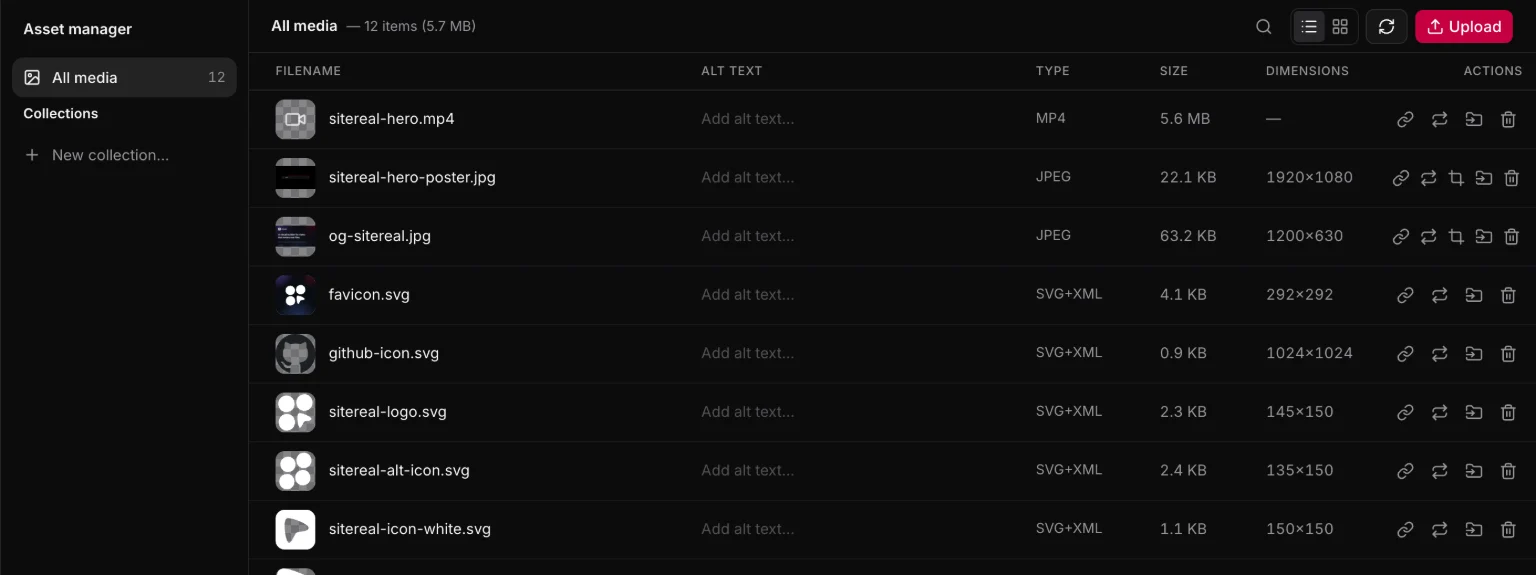
The media library is your public/ folder with a picker in front of it. There is no CDN, no upload service and no second copy of anything: an asset is a file in the repo, referenced by its site path.
<img builder-data-element="image" src="/images/harbor.jpg" alt="The harbor at dusk" />What the library shows
Everything under public/ that is an image or a video, with:
- Alt text, stored per asset in the project document and offered whenever you place the asset.
- Collections — groups of your own for finding things, not folders on disk. Drag a file onto one in the rail to file it.
Metadata is keyed by the path relative to public/, so moving a file loses its metadata rather than pointing at the wrong asset.
Adding assets
Drop files into public/ in Finder or in your editor and they appear. Or press Upload in Media, which writes into public/uploads/ — and can compress on the way in, so a 6MB phone photo does not become a 6MB download.
Replace asks which of two things you mean: keep the links writes the new file at the old path, so every page shows it and nothing moves; relink keeps the new file’s own name and rewrites every reference in the project to it. Either way it first tells you how many places use the file. A deleted file is moved aside rather than erased, so undo puts it back.
Alt text
Every image gets an alt. An empty one is a real answer — it means decorative, and screen readers skip it — but it should be a decision, not an omission. The picker asks once and remembers.
In components and content
- A component can take a
mediaprop, so an instance picks its own image. - A content type can have an image field, and the entry form opens the same picker.
Both end up as the same thing in the output: a path under public/.
Responsive pictures
An Image ships at the resolution the screen asked for. A new one arrives responsive: when the site is built Astro’s own image service resizes it into a srcset — 480 to 2000 pixels wide, converted to WebP — straight from public/, so the picture keeps its one path. The Image card in the Element panel asks what a picture field asks: the file, its resolution (the ladder, one fixed width for a logo, or the original), its alt text and its focal point, which becomes object-position on that picture. SVGs and GIFs are shipped as they are.
Pictures a data source copied into the project are listed under From data sources. They belong to that source — the next copy may replace one — so they can be copied as a URL but not edited or deleted here.